
How to Make a Payment in Zinc
Welcome to Zinc! This guide will walk you step-by-step through the process of paying your Association fees or deposits quickly and securely.
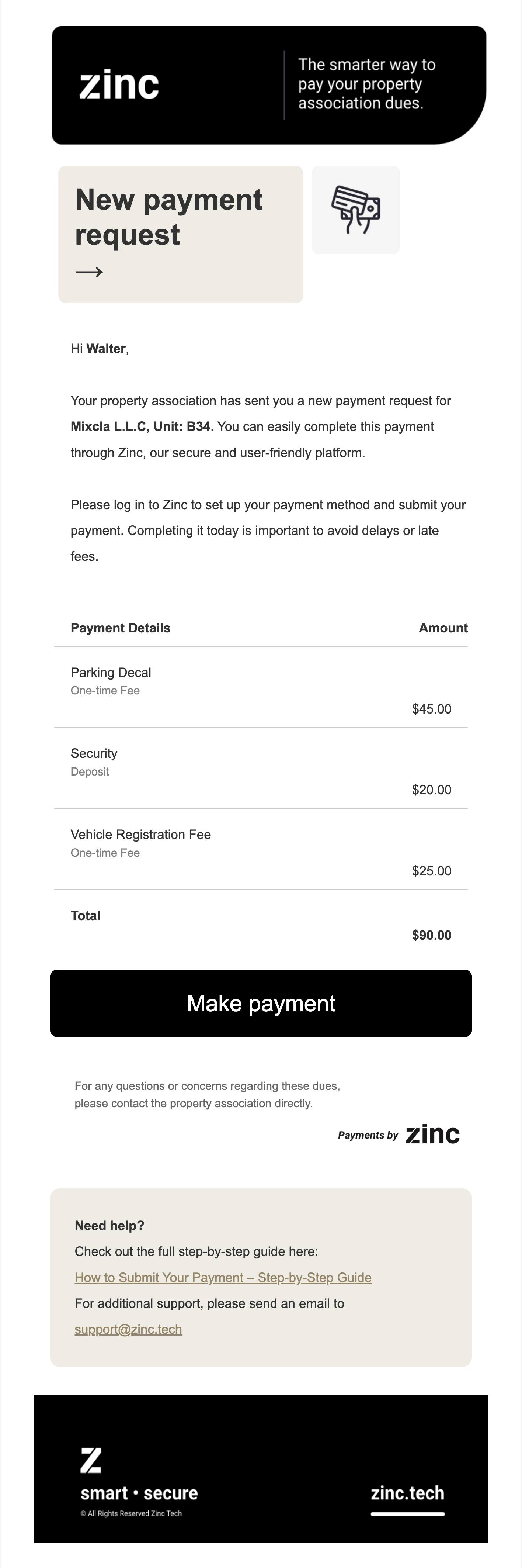
Check Your Email for the Payment Request
You will receive an email notification from Zinc on behalf of your Property Association.
The email includes:
A summary of your charges (fees, deposits, etc.)
Your Association’s details
A “Make Payment” button to get started
Click Make Payment to begin.
Create Your Zinc Account
If this is your first time using Zinc:
Create a password
Log in to your new Zinc account
Once logged in, you will immediately see your invoice.
You can also view any pending payments at any time by navigating to the Bills tab in the main menu.
Review Your Invoice
Before paying:
Confirm the invoice amount
Review the charge breakdown
Verify your Association information
When ready, select your preferred payment method.
Choose Your Payment Method
Zinc offers two payment options:
Option 1: ACH Bank Transfer (Recommended)
Pay directly from your bank account.
You’ll need to link your bank account using one of the following methods:
Instant Verification (Fastest Option)
Securely log in to your online banking
Select the account you want to use
Confirm and continue
This method verifies your account instantly.
Manual Verification
Enter your routing number and account number
Zinc will send a $0.01 deposit to your bank within one business day
Check your bank statement
Locate the transaction and find the three-letter code after the hashtag (#)
Return to Zinc and enter that code to complete verification
Option 2: Debit or Credit Card
You may also pay using a debit or credit card.
Enter your card details
Review any applicable card processing fees
Confirm payment
Card payments are processed securely through Stripe.
Sign the Debit Authorization (ACH Payments Only)
If paying via ACH:
Accept the E-Sign Disclosure
Electronically sign the debit authorization
Authorize Zinc to debit your selected account
This step ensures your payment is properly authorized and compliant with banking regulations.
Submit Your Payment
After reviewing all details:
Click Submit
Your payment will begin processing
Settlement timing depends on:
Your selected payment method
Your banking network
Track Your Payment
You can monitor your payment status anytime:
Visit the Bills tab to view outstanding invoices
Visit the Transactions tab to see payment history and status updates
You will also receive a confirmation email for your records.
Your Security Matters
Zinc follows strict financial security standards:
Sensitive data is fully encrypted
Information is transmitted directly to the bank
Zinc does not store your banking credentials
PCI-DSS compliant infrastructure
Your information is protected at every step.
If you need additional assistance, please contact your Property Association or reach out to Zinc Support.
We’re here to help!