How to track your Association Verification status
Print
Created by: Main Master Account
Modified on: Wed, 7 May, 2025 at 7:43 AM
After you’ve submitted all signer information and signed the onboarding documents, Zinc and its banking partners perform a compliance review. You can check where your association stands at any time in the Zinc dashboard.
1. Open the Verification Panel
Sign in to Zinc.
In the left-hand menu, click Properties and select your property.
In the property profile, select Verification.
A status banner appears at the top of the page.
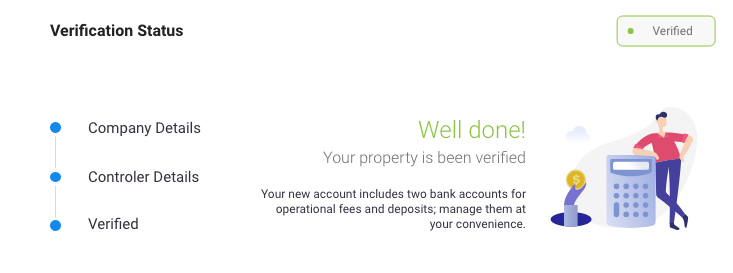
2. Read the Current Status Badge
Pending | Required data is still missing (e.g., signer SSN or ID upload). | Click View Details, then finish any incomplete items. |
Reviewing | All data received; the bank’s KYC team is checking it. | No action needed—reviews take 1-3 business days. |
Docs Required | A document failed quality check (blurry ID, unsigned form, etc.). | Click the alert to re-upload or re-sign the flagged doc. |
Verified | Verification is complete, and both bank accounts are active. | You can now collect dues and pay bills through Zinc. |
| Rejected | The bank could not approve the application. | Click View Details for the reason, fix any issues listed, and resubmit—or contact Zinc Support for help.
|
Need help?
Chat: Inside the Zinc dashboard, in the bottom-right corner (Need Help?)
Phone: 954.271.3294
Main is the author of this solution article.
Did you find it helpful?
Yes
No
Send feedback Sorry we couldn't be helpful. Help us improve this article with your feedback.
