Signing Up with Zinc
Print
Created by: Main Master Account
Modified on: Tue, 6 May, 2025 at 12:30 PM

If you already have an account, please sign in here
If you are part of a Management Company or Association, please get in touch with your Zinc Account Representative to request an invitation to join the platform.
If you are a property occupant (Renter, Owner, Guest, or Existing Resident), your Association will send you an invitation when it's time to pay any required property fees or deposits. Once you receive the invitation, you can set up your Zinc account and complete your payment.
Follow the instructions to pay your fees. During the payment process, you will set up your new account with Zinc.
Setting up your password
When setting up your password, please keep in mind the following information, so that your security is protected:
• Set an 8-character minimum length
• Include one lowercase letter
• Include one uppercase letter
• Include numbers
• Include at least one special character
• Make sure to confirm your password
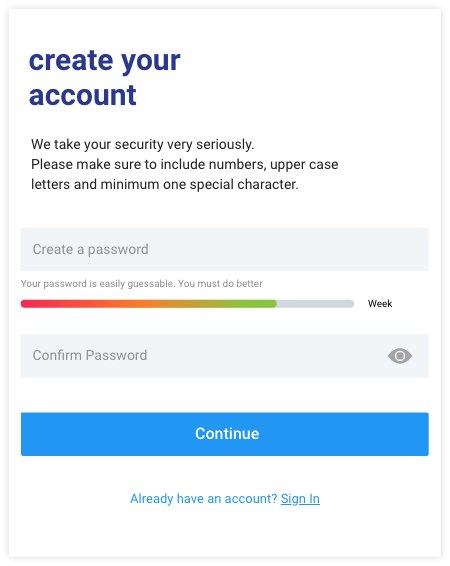
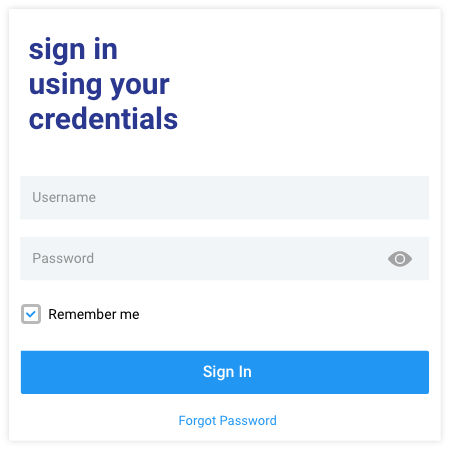
Once your password is been created, you should get a confirmation message and will be redirected to the sign-in screen.

You can now log in using the email address where you got the invitation and the password you set up.
Main is the author of this solution article.
Did you find it helpful?
Yes
No
Send feedback Sorry we couldn't be helpful. Help us improve this article with your feedback.
